Monthly price
Devices
- Kassa with RKSV12,00
SUMME12,00
€ per month, Netto

Scenes generated with AI. Real screens.
casse runs in the browser on the device you already have, and on Android also as an app. Add a Bondrucker, a Kassenlade, a barcode scanner and a second screen for your guests; casse does not sell devices.
No Kreditkarte. The trial ends on its own.
A browser is enough, and the Android app can do more when printing.
The Kassa runs in the browser, on the iPhone too, and the Bon goes via AirPrint to a printer that supports AirPrint. An app for iPhone and iPad is in preparation.
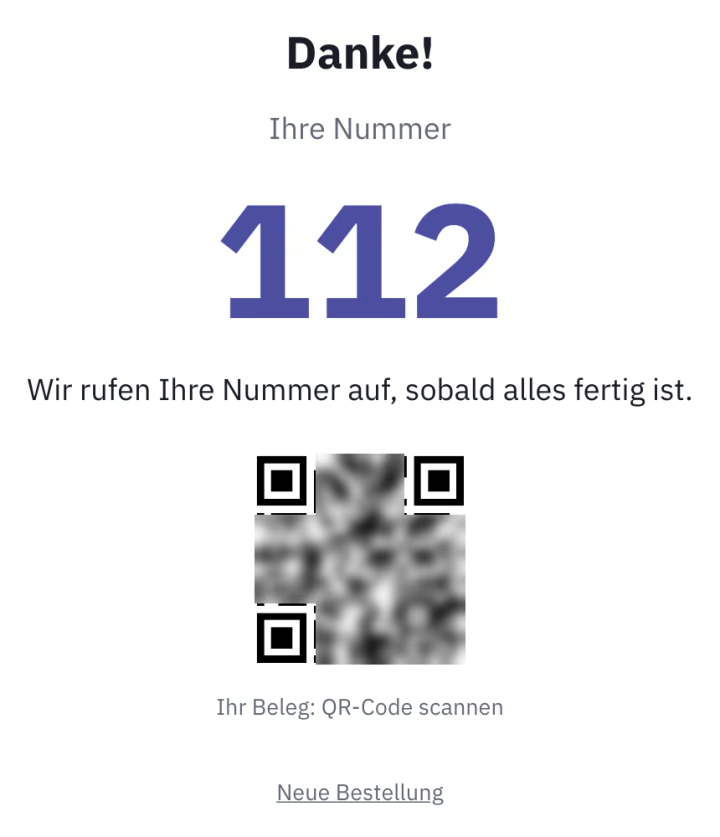
In the browser or with the casse Android app: it prints over USB, network and Bluetooth, including to a mobile Bondrucker worn on the belt. On a phone without a printer, the guest gets the Beleg as a QR code.
In Chrome or Edge, casse prints straight to a Bondrucker with USB and ESC/POS, without a print dialog, tested with the Epson TM-T20II. Any other printer works through your system's print dialog.
casse recognises common models from Epson, Star and Bixolon and sets the line width for 58 or 80 mm paper by itself. The Kassenlade is connected to the Bondrucker and opens by itself on Barzahlung, wherever casse prints directly.
Any scanner that works like a keyboard reads Artikel into the Kassa. casse reads labels from your calibrated scale with weight or price directly; the scale itself is not connected.
A second screen on the Kassenrechner shows your guests the Artikel, the Summe and their change, then the Beleg as a QR code. With the modules for them, a tablet becomes a Küchendisplay or, in portrait format, a kiosk.
You open casse in the browser, with nothing to install, and create your account. On an Android device you can download the app right on the casse start page.
Under Admin, Devices, Printers you pair the Bondrucker once and print a test; casse recognises the model as it does so. If a Kassenlade is attached, you switch it on there.
Under Admin, Devices you see each device with its name, role and printer, such as Kassa, Küche or kiosk. Each device chooses for itself which Kassa it books to.
The Kassa with RKSV costs € 12,00 per month, net; one Kassa is included, each additional one € 4,90, counted per Kassa and not per device. You test free for 30 days.
€ per month, Netto
Usually not. casse runs in the browser on iPad, Android tablet, PC, Mac and phone, and a Bondrucker with USB and ESC/POS prints directly. casse does not sell devices; if you like, we set up the Kassa for a flat fee, on site in Vienna including printer and Lade.
For Android, yes. You download the app directly in casse after signing in, not from Google Play, and it updates itself; it also prints over network and Bluetooth, and as a kiosk it stays pinned. An app for iPhone and iPad is in preparation; until then, casse runs there in the browser.
Yes. On a phone the Kassa runs in the browser, on Android also in the app, for example while serving. Without a printer the guest gets the Beleg as a QR code; in the Android app a mobile Bondrucker also prints over Bluetooth.
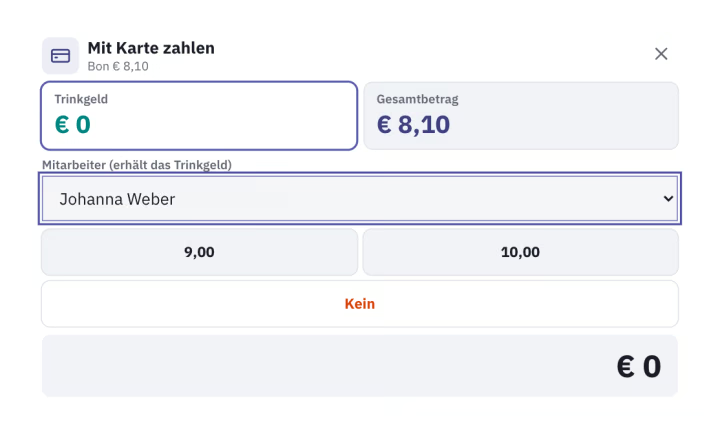
Yes. The guest pays at your terminal, and you record the Kartenzahlung at the Kassa, with Bar and Karte on one Beleg if needed. casse has no Kartenterminal of its own; a direct link to SumUp Solo is in preparation.
The Kassa needs an internet connection, because Belege are signed on the server. If it drops on one device, the Kassa prints an Ersatzbeleg for sales paid in Bar and enters it afterwards once the connection is back, for up to 48 hours. Otherwise the emergency procedure under § 17 RKSV applies: Belege by hand, then the Nacherfassung in casse.
30 days free, no Kreditkarte, and the trial ends on its own.
Try it free for 30 days