Monthly price
Online-Terminbuchung
- Kassa with RKSV12,00
- Termine & Buchung5,90
SUMME17,90
€ per month, Netto

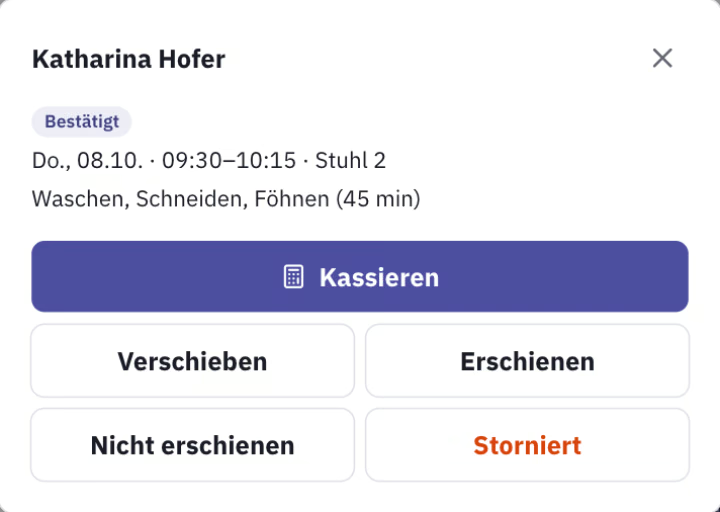
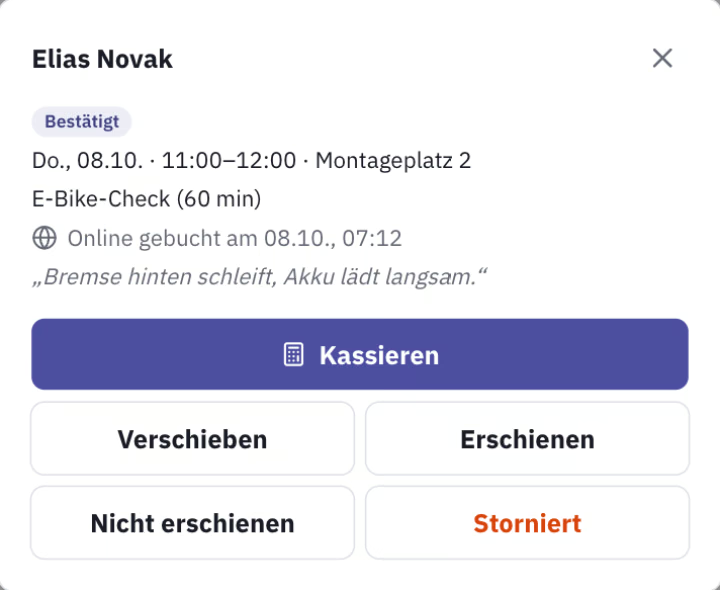
Scenes generated with AI. Real screens.
Your Kunden choose a service and a free time on your page at web.casse.at, in the evening too and without a phone call. You have the Termin in your calendar, your Kunde has the confirmation, and a day before, the reminder arrives by email.
No Kreditkarte. The trial ends on its own.
Terminkalender, online Terminvergabe and Kassa in one, from the Kunde's click to the Bon.
Your Kunden book at web.casse.at, without an app or an account, in four languages. Only free times can be booked, and a Kunde can choose who they want.
After booking, your Kunde receives the confirmation with a calendar file and a cancellation link, and the reminder by email a day before. casse tells you about every booking and every cancellation right away.
Confirmed at once, or as a request that you confirm in the calendar. You also decide how short-notice and how far ahead bookings can be made, and until when your Kunden may cancel themselves.
Each resource gets a weekly grid of when it can be booked, and the calendar shows a day or a week. You enter Sperrzeiten for training or repairs; with the Personal module, approved Urlaub blocks the time on its own.
Duration and buffer decide how long a service takes up in the calendar. Price and tax rate come from the linked Artikel.
After the Termin, one tap at the Kassa turns it into the Bon. If a Kunde books with an email address your Kundenkartei already knows, the Termin is linked to them straight away.
Under Termine, create your services with duration, buffer and Artikel, and tick “Bookable online”.
Each Mitarbeiter, chair, cabin or bed gets a weekly grid. casse works out the free times from it.
In Web presence, choose your short name and switch on online booking. Share the link to your page at web.casse.at wherever your Kunden find you.
RKSV-compliant Kassa and Termine together for € 17,90 per month, net, with no commission per Termin. Online-Terminbuchung is already included in every Paket for hair and beauty.
€ per month, Netto
There is no commission per Termin. An RKSV-compliant Kassa and Termine together cost € 17,90 per month, net; added to an existing Paket, the module costs € 5,90.
On your booking page at web.casse.at: choose the service, choose a free time, enter name and email, done. You see the Termin in your calendar straight away.
Today it goes out by email, about a day before the Termin, with a link to cancel. SMS and WhatsApp are in preparation.
Yes, via the link in the confirmation and in the reminder, up to the deadline you set. The time becomes free again, and casse lets you know about the cancellation.
Yes. A booking is always a service with a Mitarbeiter, at a chair, in a cabin or on a bed, whether hairdresser, beauty, massage or workshop. In restaurants you enter Reservierungen with the number of guests using the same module.
Free for 30 days, no Kreditkarte, and the trial ends on its own.
Try it free for 30 days