Monthly price
Warenwirtschaft
- Kassa with RKSV12,00
- Lagerverwaltung5,90
- Lieferanten & Einkauf2,90
SUMME20,80
€ per month, Netto

Scenes generated with AI. Real screens.
The Kassa deducts each sale from the Lager, and whatever falls below the Mindestbestand appears in the Bestellvorschlag. You order from the Lieferant, book the Wareneingang, and your stock adds up.
No Kreditkarte. The trial ends on its own.
Lager management and purchasing in one program, with the same Artikel as at the Kassa.
Stock per Lager, with a Lagerplatz and its own Mindestbestand per location. Each Kassa sells from a Lager you choose, and Storno and Retoure go back there.
You enter what you actually counted, and casse books the difference. Every movement is in the history of the Artikel, with time and person.
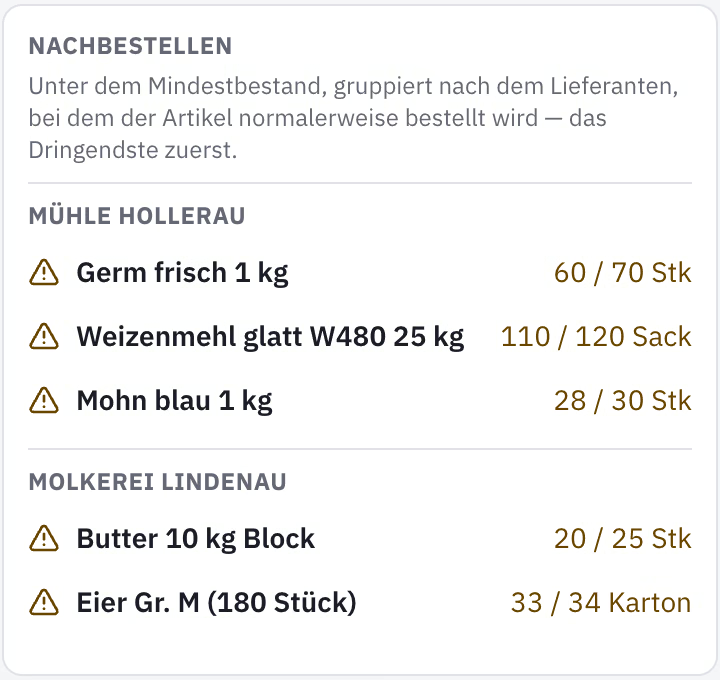
Whatever is at or below the Mindestbestand appears in the Bestellvorschlag, grouped by Standardlieferant, most urgent first. What has already been ordered is shown alongside, so nothing is ordered twice.
For each Lieferant and Artikel you store the purchase price, Bestellnummer and delivery time. The Bestellung gets its number, and you pass it on as a printout or PDF.
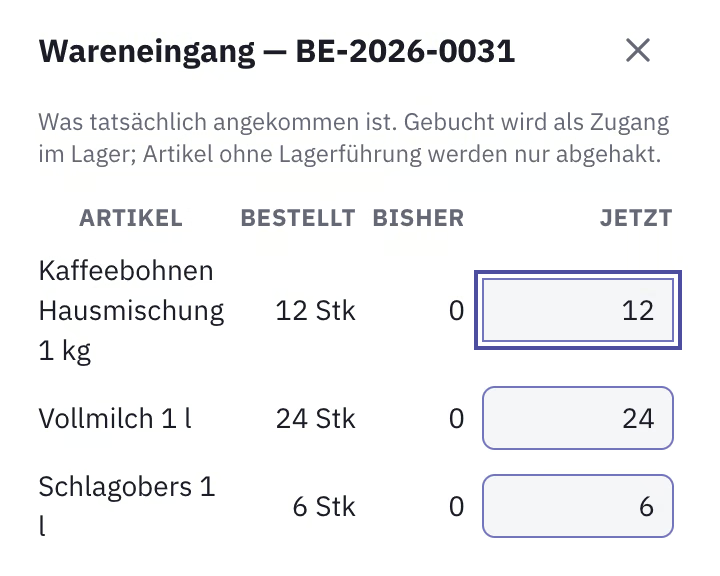
When the goods arrive, you book the Wareneingang against the Bestellung, in part if needed. Stock is right straight away, and the rest stays open until it comes.
Goods between two Lager stay “in transit” until they arrive; whatever is missing you write off as shrinkage. You export stock and movements as Excel or CSV.
You import your Artikel by CSV or Excel. For each Artikel you decide whether it keeps stock and at which Mindestbestand it is reordered.
You create your Lieferanten, store the purchase price for each Artikel and choose the Standardlieferant.
Order from the Bestellvorschlag, print the Bestellung and book the delivered quantity at Wareneingang. Counting is done with the Inventur.
RKSV-compliant Kassa, Lager and Lieferanten together for € 20,80 per month, net. The Lager on its own is already included in the Handel Start Paket.
€ per month, Netto
An RKSV-compliant Kassa with the Lager and Lieferanten modules costs € 20,80 per month, net. The Lager on its own costs € 5,90 extra and is already included in the Handel Start Paket.
You count per Artikel and Lager and enter the counted stock. casse books the difference, it stays visible in the history, and you export the stock as Excel or CSV.
Yes, from the Lager you assign to the Kassa. Storno and Retoure book back; Artikel without stock keeping, such as a service, stay out.
Yes. Whatever is at or below the Mindestbestand is on the list, grouped by Standardlieferant. What is already ordered and on its way is shown faded at the end.
Yes. With the Rezepturen module, casse deducts the ingredients of a dish from the Lager when it is sold, for € 2,90 per month extra.
Free for 30 days, no Kreditkarte, and the trial ends on its own.
Try it free for 30 days