Monthly price
Gutscheine
- Kassa with RKSV12,00
- Gutscheine2,90
SUMME14,90
€ per month, Netto

Scenes generated with AI. Real screens.
You sell a Gutschein at the Kassa: enter the amount, take payment, and the code is on the Beleg. It can be redeemed in full or in part, the Restguthaben stays saved, and casse tells an Einzweck- from a Mehrzweck-Gutschein by itself.
No Kreditkarte. The trial ends on its own.
Gutscheine are sold and redeemed at the Kassa, and you keep track of them under Kunden, Gutscheine.
Tap “Gutschein”, enter the amount, take payment. The code is created automatically and appears on the Beleg, printed or as a link by email or WhatsApp.
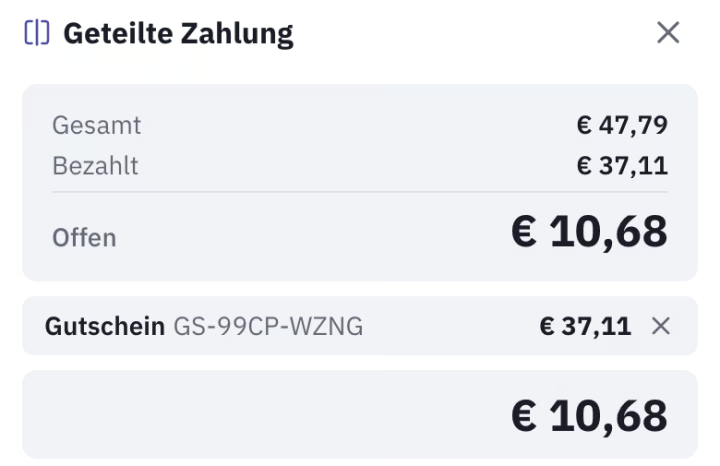
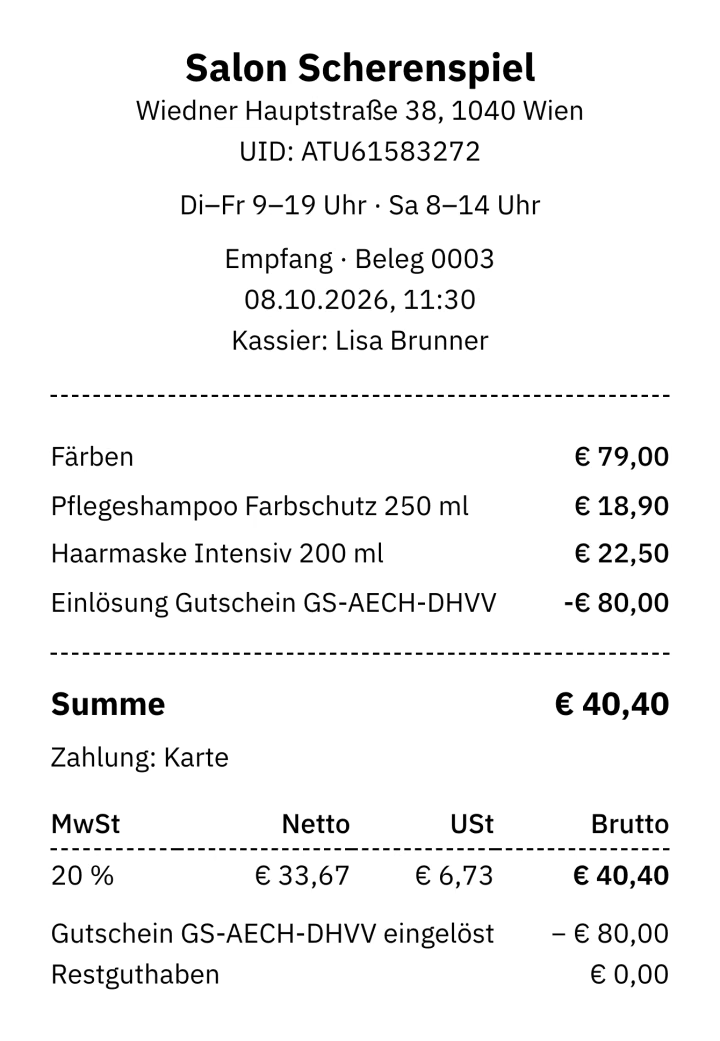
Enter the code, and casse shows the Restguthaben and deducts no more than what is due. The rest stays on the Gutschein and appears on the Beleg.
If the Gutschein does not cover it, the guest pays the rest in Bar or by Karte, on the same Beleg. With the Kiosk module, a Gutschein that covers the whole Bestellung is redeemed right at the kiosk.
casse decides at the moment of sale, based on the tax rates in your Kassa, and taxes accordingly. Each Gutschein shows its type in the list.
Every Gutschein with its Restguthaben and status, the total open Guthaben and search by code. You export the list as Excel or CSV, for example for your Steuerberater.
A lost Gutschein can be blocked in the list and released again if needed. For a Retoure, you can refund with a new Gutschein instead of Bar.
At the Kassa, tap “Gutschein”, enter the amount and take payment. Your Kunde finds the code on the Beleg.
Add the Artikel, tap “Redeem Gutschein”, enter the code and check it. The guest pays the rest in Bar or by Karte.
Under Kunden, Gutscheine you see every Restguthaben, block a Gutschein if needed and export the list.
With the Kassa, € 14,90 per month, net: that is casse Start. From Plus upwards, Gutscheine are already included in every Paket for hospitality, takeaways, retail, salons and service businesses.
€ per month, Netto
Tap “Gutschein”, enter the amount and take payment as usual. The code is on the Beleg, which you print or send as a link by email or WhatsApp.
Yes. casse deducts no more than the purchase costs; the Restguthaben stays on the Gutschein and appears on the Beleg.
casse decides at the moment of sale, based on the tax rates in your Kassa. With a single rate, such as 20 % in a hair salon, it is an Einzweck-Gutschein: the USt arises on sale, and redemption is not a second sale. With several rates, as in hospitality, it is a Mehrzweck-Gutschein: sold without USt, and the goods are taxed on redemption.
As long as you set it, in months; the default is unlimited. In Austria a Gutschein generally only becomes time-barred after 30 years, and a period that is too short is invalid. With a period set, the expiry date appears on the Beleg.
Yes. Redeeming works at the Kassa even without the module; you just cannot sell new Gutscheine any more.
Try it free for 30 days, no Kreditkarte.
Try it free for 30 days